
Compass resume template
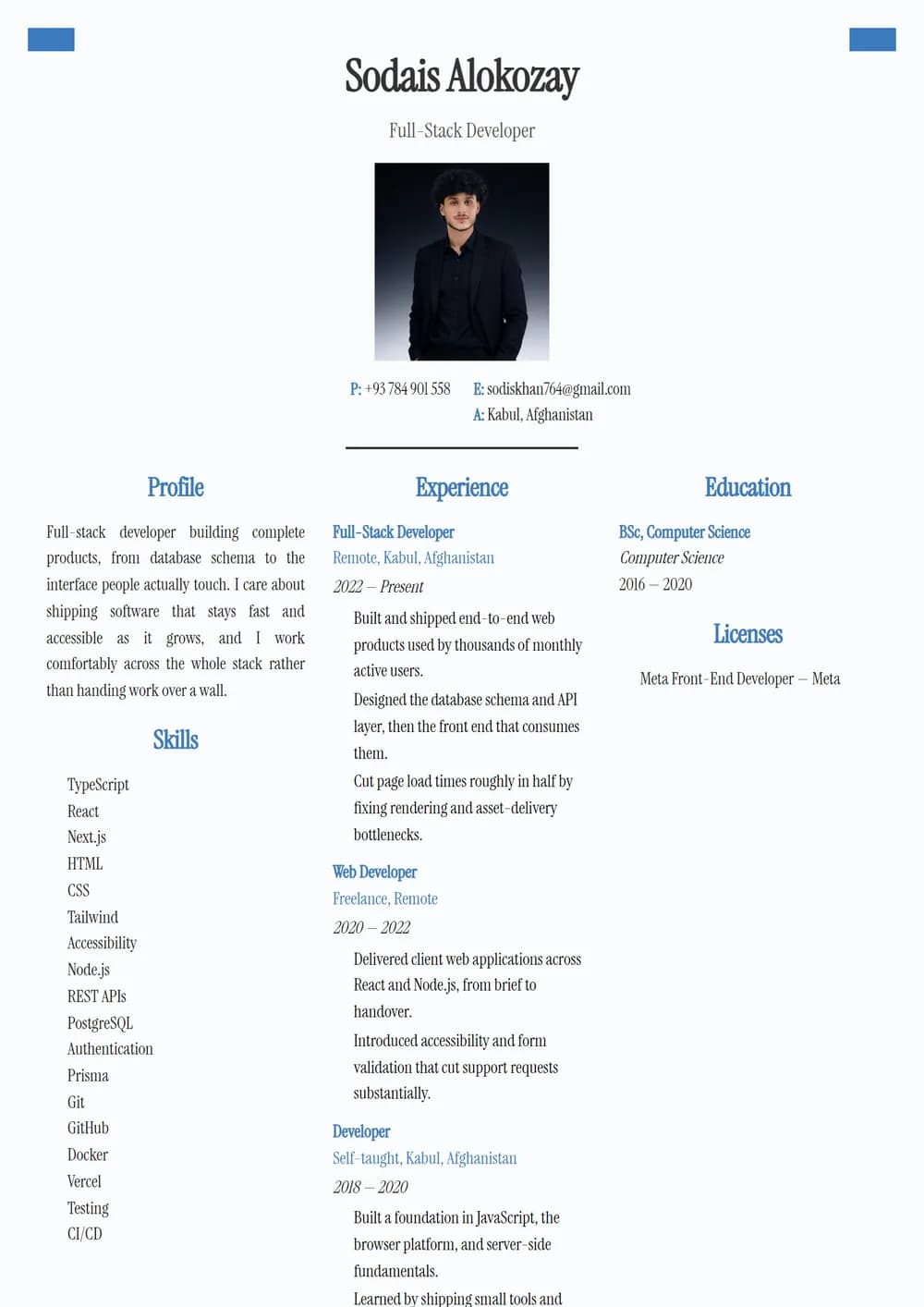
Centered header with photo and blue three-column profile/experience/education.
- serif
- three-column
- photo
See it with real content
A real render of the Compass template, filled with sample data and captured straight from the editor. Open it in the builder to change every word, font and colour.
What the layout does
- Serif typography
- A three-column grid for dense reference material
- A photo slot
- Serif type carries the page, which reads as considered rather than templated.
- It includes a photo slot — worth using if you are applying somewhere that expects one, and worth leaving empty everywhere else.
Who it suits
- corporate and graduate recruitment schemes with ATS screening
- engineering, healthcare and education roles with formal requirements
- anyone whose CV is read first by software rather than a person
Every AsaanCV template is fully editable once you open it — fonts, accent colour, density and page size are all yours to change, and the live preview updates as you type.
How to use it
- 01
Open it in the builder
Start from the Compass template. Your existing drafts are untouched, and everything saves to this device.
- 02
Swap in your own words
Type into the same fields the preview above is filled from. The page-fit indicator tells you before you export if you have overrun a single page.
- 03
Export
Download a press-ready PDF or a DOCX your applicant tracking system can actually parse.
Similar templates
Other professional layouts, and anything else built the same way.
- Professional
Secretary
Warm gray sidebar with framed photo and serif brown headings.
- Professional
Teal
Teal banner with rounded photo and gray flag-marker sidebar.
- Professional
Polaris
Deep navy sidebar with photo, timeline experience.
- Professional
Veritas
Clean single column, small photo, blue rule headers.
- Professional
Portrait
Square photo header, dates rail, four-column skills.
- Professional
Ledger
Small round photo, labeled contact table, blue rule headings.